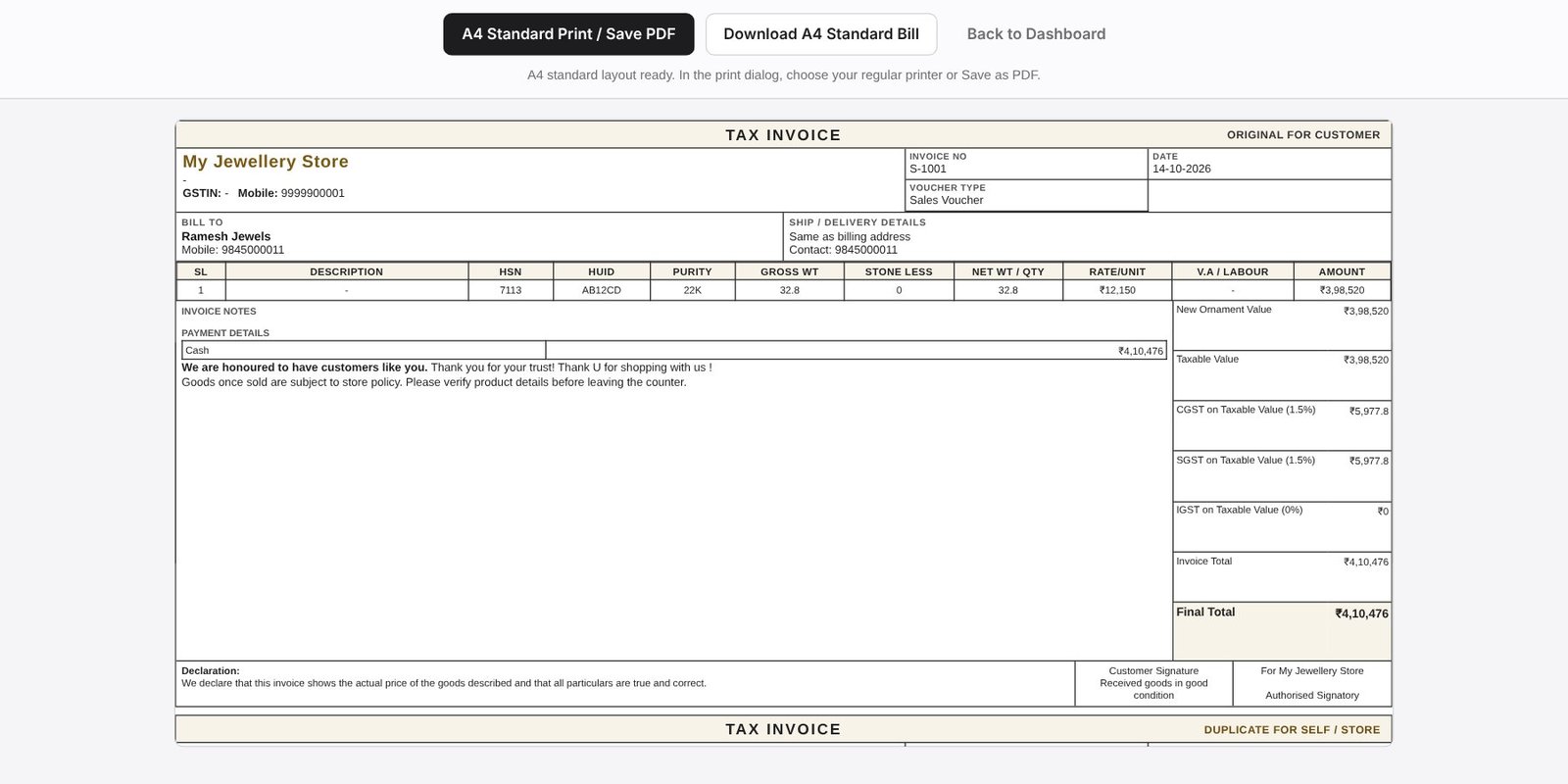
HUID in the invoice, not on a separate sheet
JewelBooks has HSN and HUID fields on every item row. They print in the invoice table next to purity and weights, which is what customers and inspectors expect to see on a hallmarked piece.
A register you can search
The HUID Register lists items with their HUID so you can look up when an item was sold and to whom, which saves time when a customer returns with a question.
- HUID and HSN per item
- HUID printed on the invoice
- HUID Register for look-up
- Works with product QR tags
Frequently asked questions
Is HUID mandatory on the bill?
Hallmarking and HUID rules apply to hallmarked gold jewellery in India. Check the current BIS rules for your items; JewelBooks gives you the fields and the register.
Can I search a HUID later?
Yes, from the HUID Register.